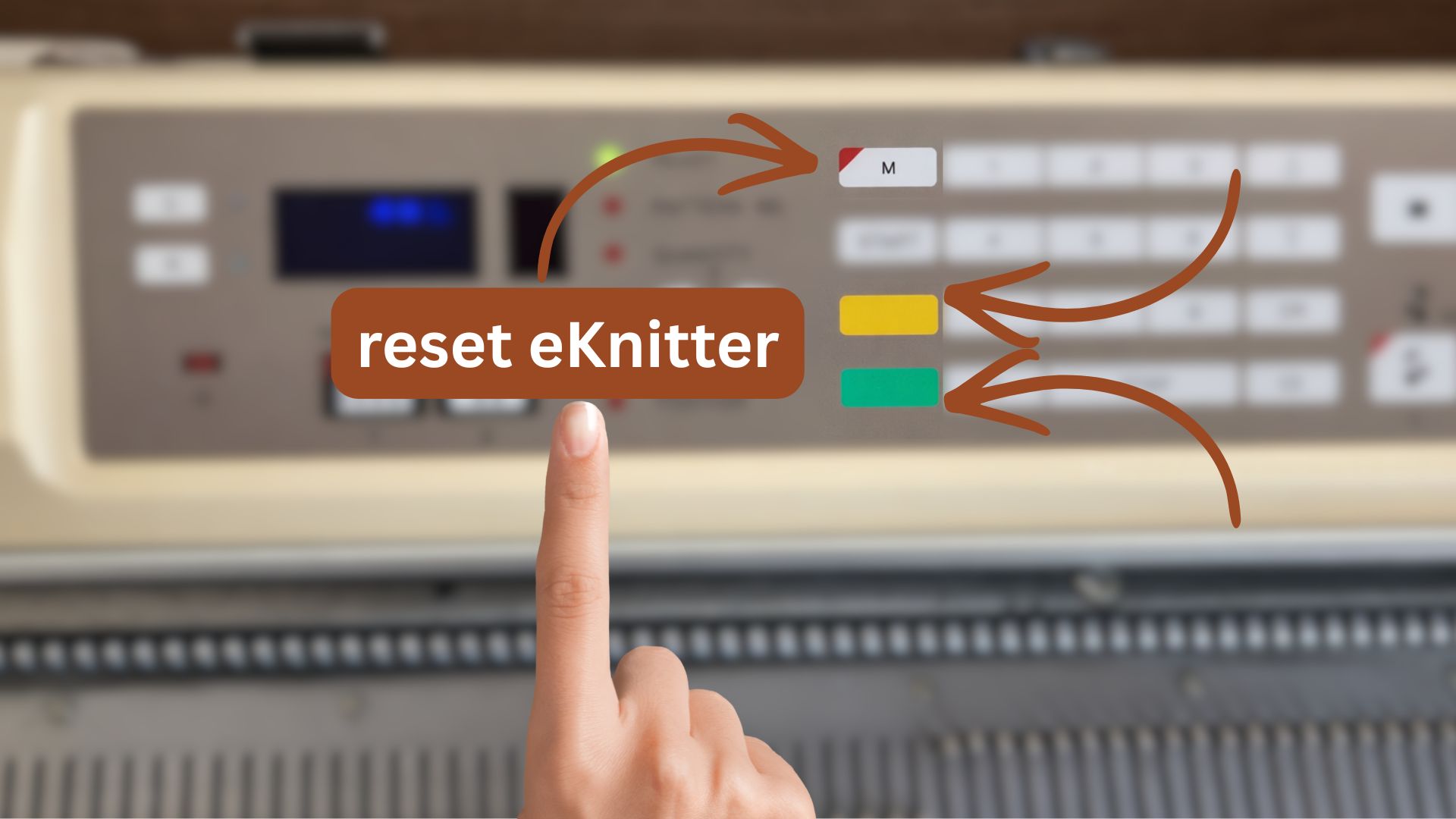
If your Wi-Fi network changes, you can update the Wi-Fi settings saved in your eKnitter.
There are three options to change or delete your Wi-Fi settings.
Option 1 — Change Wi-Fi in the WebApp (recommended)
Use this if your eKnitter is still reachable in your browser.
- Open your eKnitter WebApp
- Go to Settings / Config
- Select Wi-Fi
- Enter the new Wi-Fi name and password
- Tap Save
Your eKnitter reconnects automatically.
Option 2 — Reset Wi-Fi settings using the eKnitter buttons
Use this if the WebApp can no longer be reached.
- Turn on your eKnitter
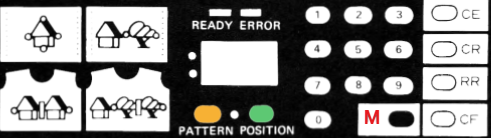
- Press and hold M
- While holding M, press and hold the green button
- While holding both, press and hold the yellow button
- Keep holding all three until the display shows an X and the device restarts
- Release all buttons
Your eKnitter is now ready for Wi-Fi setup again.
Option 3 — Reset Wi-Fi using the controller board (advanced)
Use this only if buttons and WebApp no longer respond.
For resetting eKnitter, press key A and keep it hold. While still keeping key A held, press key B once. Keep holding key A for another 6 seconds and then release. If the reset was successful, the LED on the eKnitter board goes from blue to red. Your Wi-Fi settings are deleted, which means eKnitter will show again in your Wi-Fi network list on your computer again. You should also see an X on the display.
Your eKnitter is now ready to be connected to Wi-Fi again.

Reset your eKnitter for KH 930 / KH 940
Option 1 — Change Wi-Fi in the WebApp (recommended)
Use this if your eKnitter is still reachable in your browser.
- Open your eKnitter WebApp
- Go to Settings / Config
- Select Wi-Fi
- Enter the new Wi-Fi name and password
- Tap Save
Option 2 — Reset Wi-Fi using the controller board (advanced)
Use this only if buttons and WebApp no longer respond.
For resetting eKnitter, press key A and keep it hold. While still keeping key A held, press key B once. Keep holding key A for another 6 seconds and then release. If the reset was successful, the LED on the eKnitter board goes from blue to red. Your Wi-Fi settings are deleted, which means eKnitter will show again in your Wi-Fi network list on your computer again. You should also see an X on the display.
[image and video will follow]