How to update your eKnitter
Before you begin, ensure you have a mini USB cable that can be used to update your eKnitter. Please note that not all USB cables used to connect to your computer are suitable for updates. Some cables are designed solely for charging purposes. If your cable does not work, you will not find a PORT to update your eKnitter, see also Step 5 below.
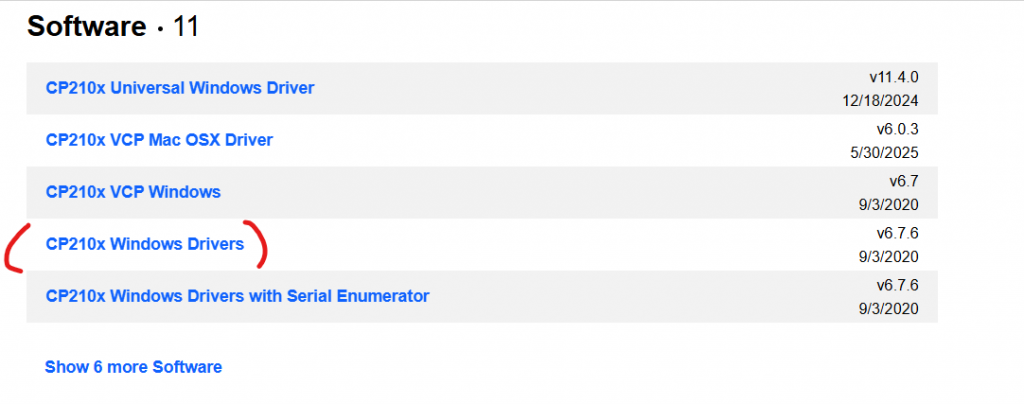
You also need to install the driver for this cable otherwise you wont find it: https://www.silabs.com/software-and-tools/usb-to-uart-bridge-vcp-drivers?tab=downloads
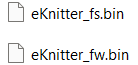
(1) Download the latest firmware.
Download the latest firmware. When you download it, you will receive a ZIP file, which you need to unzip first.
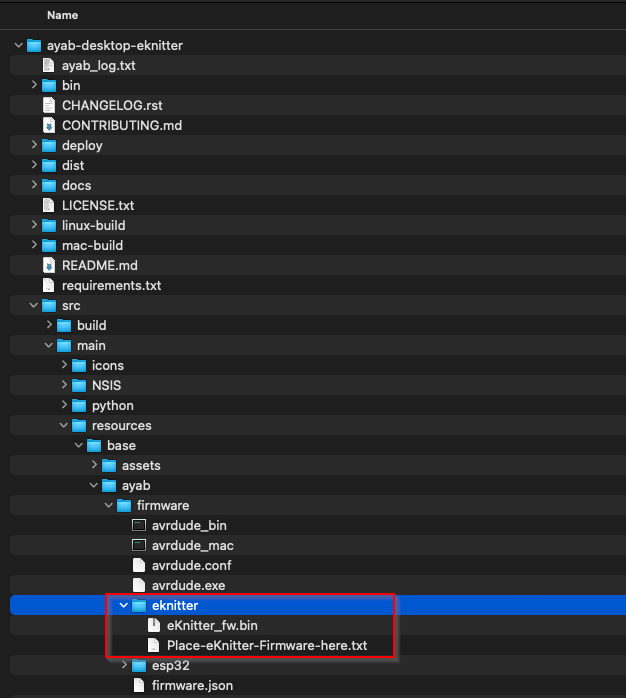
(2) Copy both files into the shown folder of your eKnitter-ayab software.
For Window user:


For MAC user:
In the screenshot only one file is showns but please copy both files (eKnitter_fs.bin and eKnitter_fw.bin) in this path.
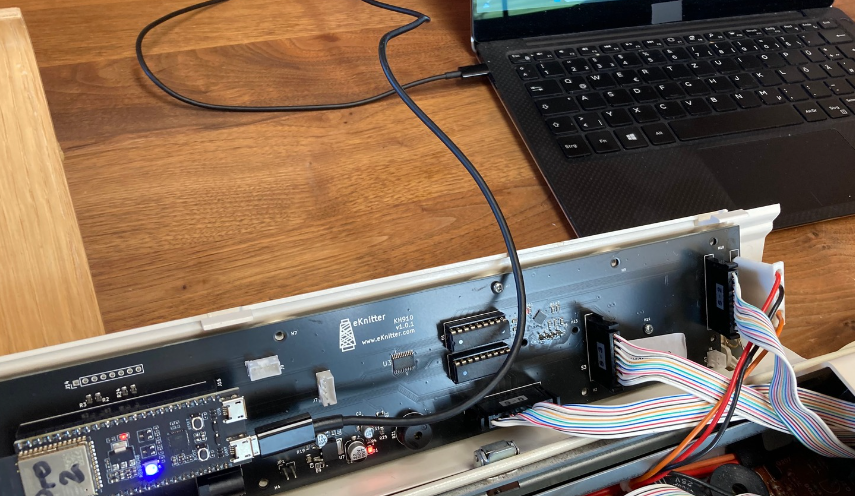
(3) Open your machine and connect your eKnitter board with your computer.
(4) Open your eKnitter-ayab software
If you dont have it yet installed use the link from here.
Goto Update Tools/ Update eKnitter
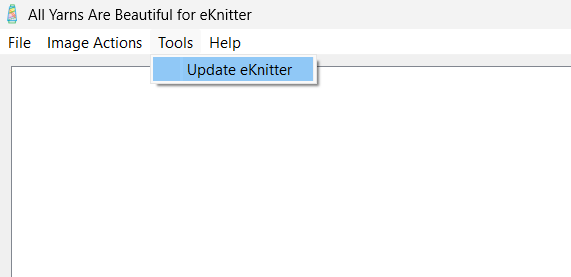
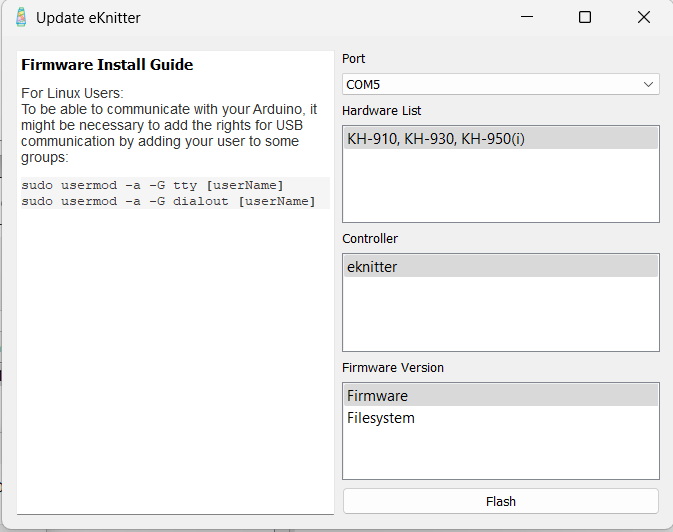
(5) Select Port
If you cannot select a port, it is likely because the cable you are using is not suitable for updating your eKnitter. Please be aware that not all USB cables that connect to your computer are compatible with updates. Some cables are designed only for charging purposes.
Select as shown below:
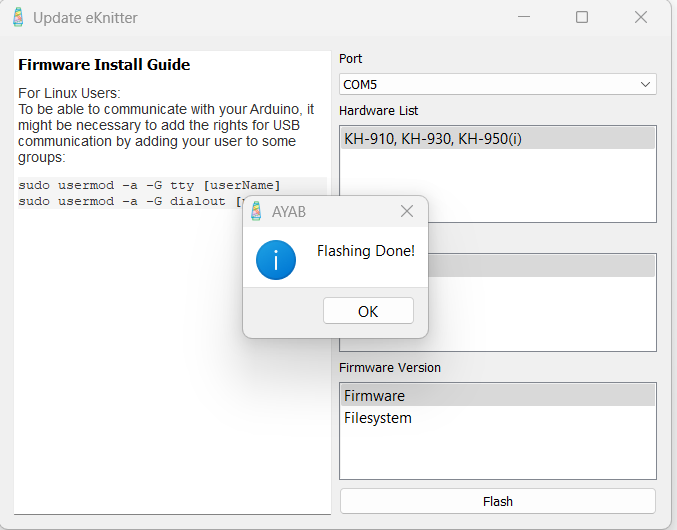
(5) Click on “Flash” and Wait
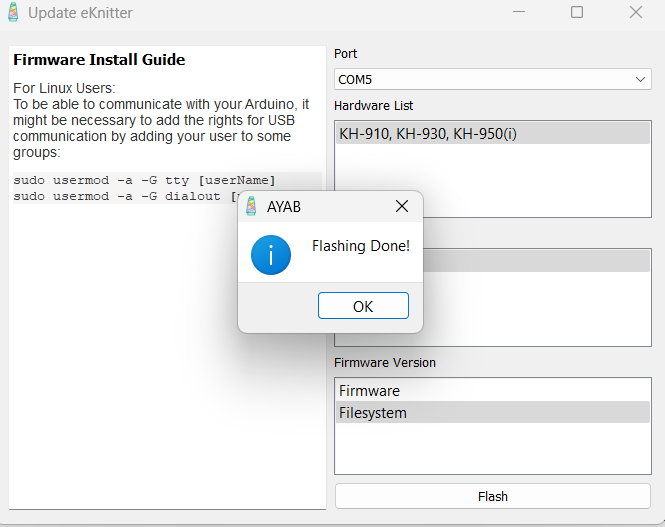
IMPORTANT: Don’t worry if it seems like nothing is happening. After about 2 minutes, you should see ‘Flashing Done!
Do not click with your mouse around or disconnect the the eKnitter just wait 2 minutes.
(6) Flash also Filesystem
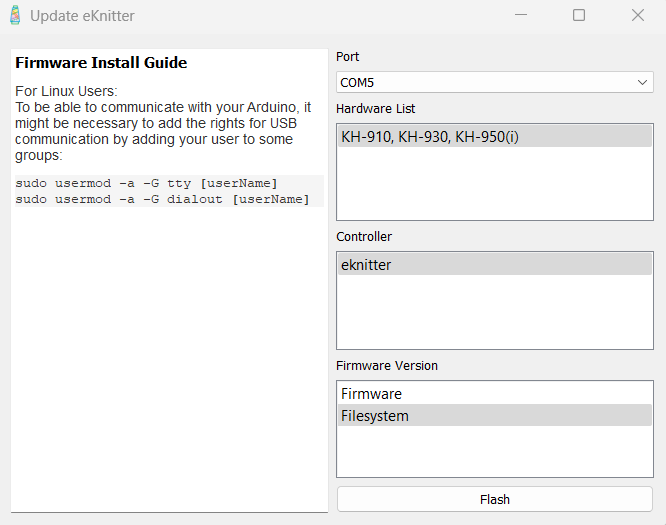
(7) Click on “Flash” again and Wait
IMPORTANT: Don’t worry if it seems like nothing is happening. After about 2 minutes, you should see ‘Flashing Done!
Do not click with your mouse around or disconnect the the eKnitter just wait 2 minutes.
(8) Check if you see the new firmware on your eKnitter screen!
Next time you turn on your eKnitter you should see the new firmware on the display, it should show 5.27 and not 4.10 anymore.