Originally published by Machine Knit Community
Our Interview with Machine Knit Community
About a month ago, the Machine Knit Community (MKC) asked us to talk about eKnitter—how it began, how it connects classic Brother knitting machines with modern technology, and where we hope to take it next. We are delighted to share the original interview here on our own website as well.
Our sincere thanks to the Machine Knit Community for the thoughtful questions and for creating a dedicated space where machine knitters can learn, find inspiration, and connect with one another.
What is eKnitter?
For readers who have not come across it before, what is eKnitter and what does it do?
eKnitter is a replacement mainboard for compatible electronic Brother knitting machines.
It allows you to send digital patterns to the machine through Wi-Fi, either from the eKnitter WebApp or from a compatible version of DesignaKnit.
Once the pattern is transferred, it is stored directly on the eKnitter board. This means you do not need to keep your phone, tablet, or computer connected while knitting.
The idea is to keep the Brother machine itself, because the mechanics are still very good, but make the digital part much more modern.
What inspired you to develop eKnitter, and what problem were you trying to solve?
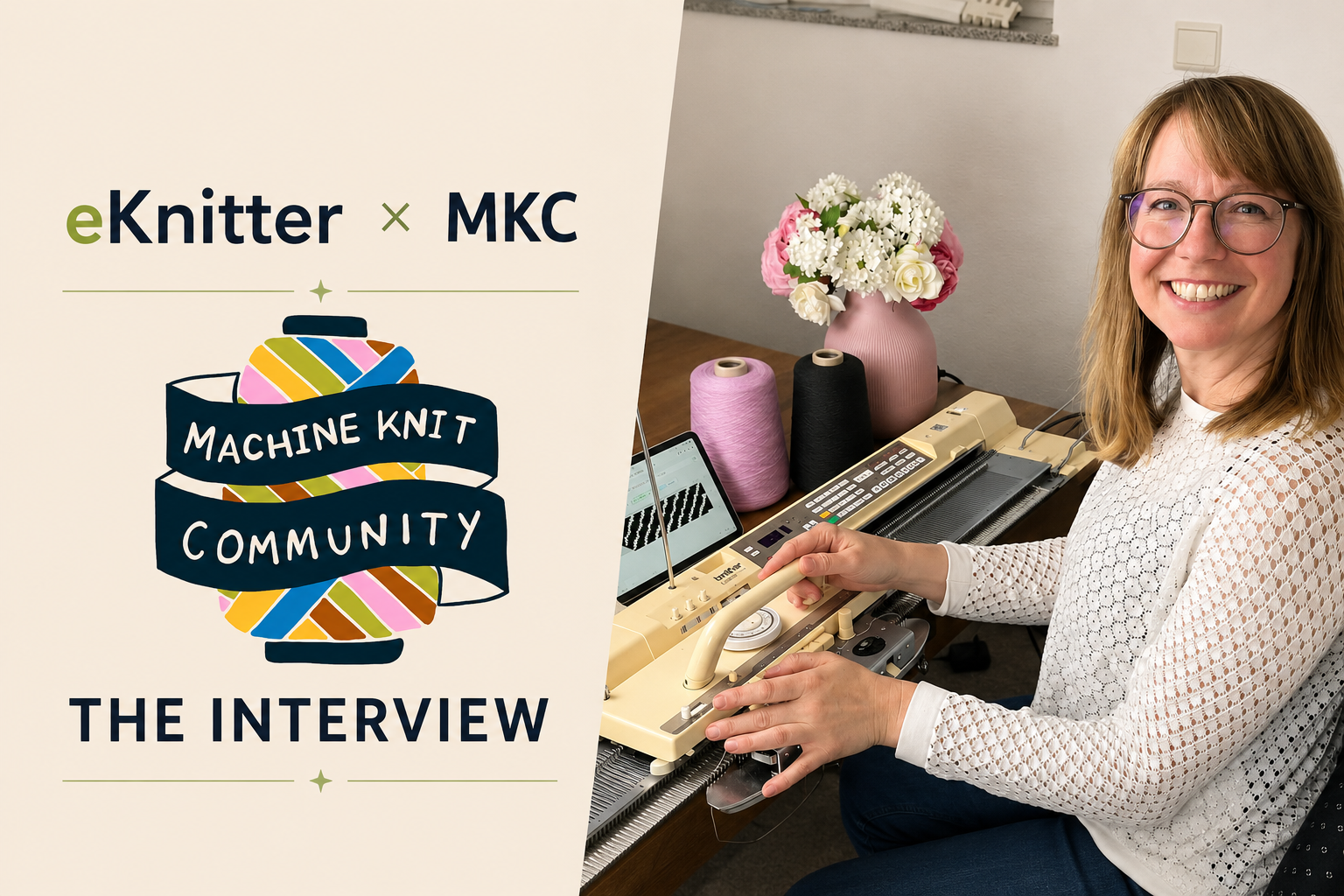
My name is Jeanette Dicke, and I am the founder of eKnitter. The idea started because I wanted something simple, modern, and efficient for my own knitting machine. I did not want to spend a lot of time dealing with workarounds, cables, old storage systems, or complicated technical setups before I could start knitting.
We did not begin with a business plan. I simply wanted a better solution, so we started working on one.
My husband Thomas works with electronics and electric cars, but he had no experience with machine knitting. I knew what I wanted as a knitter, while he looked at the technical side with completely fresh eyes. That combination is really how eKnitter started.
In the beginning, we called the project iKnit because we wanted it to be as simple and intuitive as an iPhone. The name changed, but the idea behind it did not. We are not quite there yet, but this vision still guides everything we do.
Who benefits most from using eKnitter?
Our customers are very different, ranging from complete beginners and experienced machine knitters to schools and machine resellers.
Many of them prefer a simple solution that adds real value to their machine and lets them focus on knitting instead of spending time on complicated setups. For resellers, eKnitter can help bring older machines back to life. For schools and communities, it makes machine knitting more accessible and better suited to people who are used to working with modern technology.
What knitting tasks can eKnitter make easier or faster?
The main advantage is that you can create, edit and transfer digital patterns much more directly. In the WebApp, you can quickly change the whole pattern or just parts of it, combine different patterns and prepare designs for multicolour Jacquard knitting.
DesignaKnit users can continue working in the software they already know and send the pattern through Wi-Fi.
For me, the biggest benefit is that you can try things more quickly. You can change a design, send it again, and knit another sample without starting everything from the beginning.
What does a typical workflow look like?
The workflow adapts to how you like to create. You can start with a pattern you already have and edit and make it your own, begin with a blank canvas, or simply develop your idea as you knit.
That is how I often work: I knit a sample, look at the result, and immediately think, “Maybe one more row here, or a little more space between these stitches.” I adjust it directly in the WebApp, send the new version to eKnitter, and continue knitting, testing, and experimenting.
If you prefer DesignaKnit, you can transfer your patterns just as easily. DesignaKnit supports complete garment design, while the eKnitter WebApp focuses more on creating and experimenting with individual stitches and patterns.

How easy is it to get started?
The easiest option is to have eKnitter installed by a professional who can also service the machine and make sure it is ready for many more years of use.
If the machine is already in good condition, getting started is quite straightforward: replace the original mainboard with eKnitter and connect it to your Wi-Fi. Once connected, DesignaKnit can find the machine directly, and the WebApp opens in your browser. No additional software installation is needed.
Which machines are compatible?
eKnitter is currently available for the Brother KH910, KH950/950i, KH930, and KH940. It also supports the equivalent Erka models: Erka 80 and Erka 85/95.
eKnitter is not a universal board. Each version is designed to fit its specific machine perfectly, so it is important to check your exact model before purchasing. Development for the chunky Brother KH270 has already started, but we will only announce its release once we are confident that everything works and fits exactly as intended.
Connecting old and new
How eKnitter brings modern control to classic Brother knitting machines.
What makes eKnitter different?
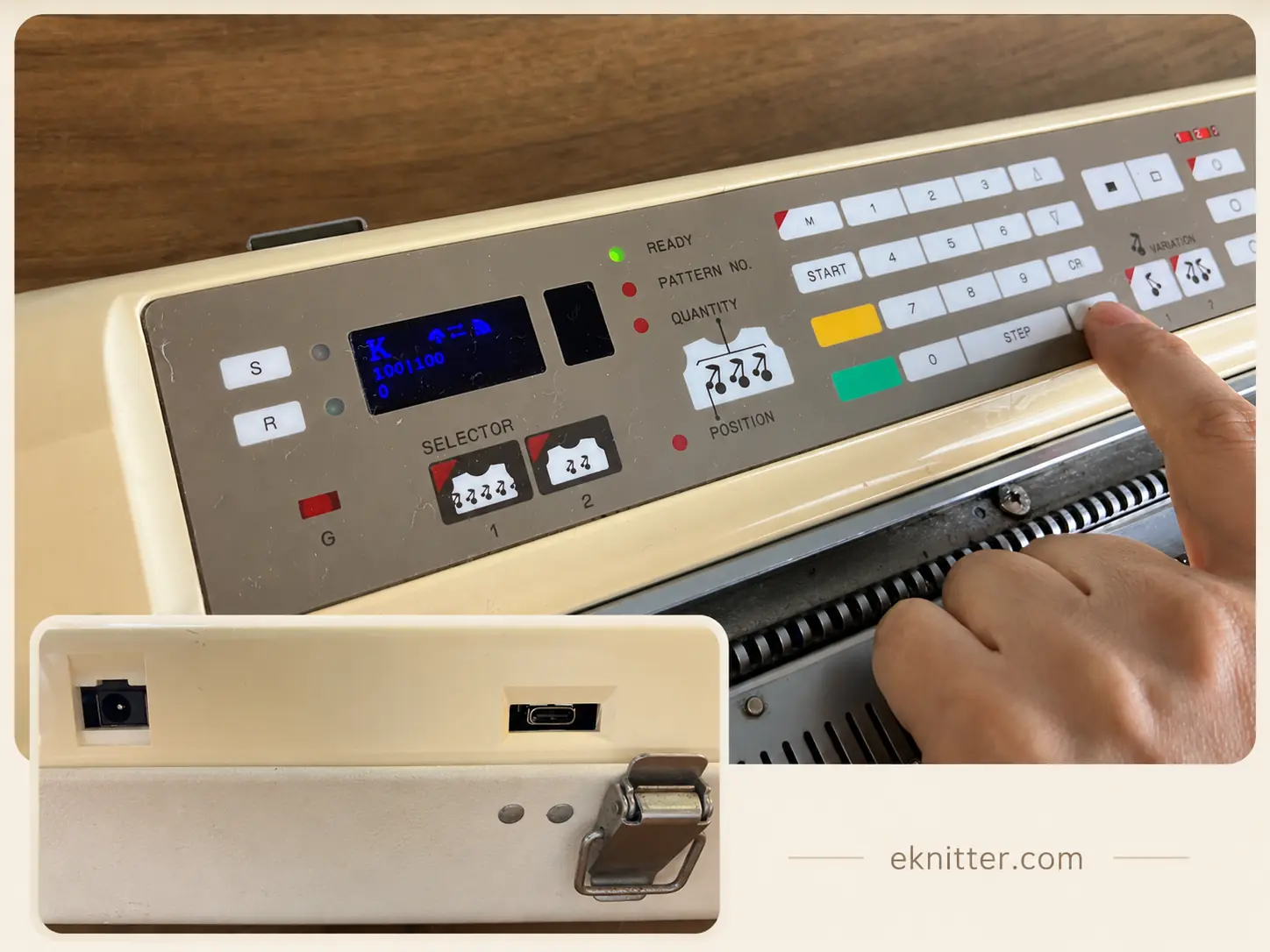
What makes eKnitter different is how well it becomes part of the machine. The board fits neatly inside and works with either the original internal power supply or a newer external one. It has one connection for external power and another for firmware updates and possible future uses.
eKnitter also connects to the machine’s original button panel. You can use the buttons to return to row one or move up and down through the pattern, which is helpful if you need to repeat a row. When you change the row on the machine, the WebApp updates immediately.
The modern display is another small feature that makes a real difference. We originally added it mostly for fun, but it turned out to be surprisingly useful. It shows the current row and tells you immediately if the carriage is not recognised—for example, because KC or KC II was not selected.
The board also has an SD card slot and additional connections, leaving room for future ideas such as patterns saved directly on the machine.
What particularly surprises new users?
Many people are surprised by the installation. It looks more technical than it really is.
What are some common misconceptions about eKnitter?
One common misunderstanding is that eKnitter is only useful when the original mainboard is broken.
But many customers choose eKnitter even though their original electronics still work.
They simply want to use Wi-Fi, modern devices, the WebApp, or DesignaKnit without relying on old cables, cartridges, or storage systems.
The knitting machine itself stays. We only modernise the electronic and digital part.

Ideas, feedback and the future
Why a shorter route from inspiration to knitted sample matters.
Do you have a favourite project that shows what eKnitter can do?
My favourite project is still sideways knitting. Anyone who has tried it will hopefully know what I mean. Knitting a child’s dress or a jumper sideways, in one piece, feels almost magical.
You watch the complete shape grow directly on the machine. This type of project is not exclusive to eKnitter—it should be possible on any electronic machine that allows you to transfer a pattern across the entire needle bed. But I still feel that sideways knitting has so much more creative potential to explore, and it is definitely something I would love to experiment with further in the future.

How has community feedback influenced eKnitter?
Most customers simply use eKnitter without contacting us—which is actually a good sign. Only a few need help, and that is quite natural. I am always especially happy when someone takes the time to share feedback, tell us about a difficulty, or suggest a feature. It shows that they care about the product and want to help it grow.
Their feedback shapes eKnitter more than they may realise. As a machine knitter myself, I immediately understand the value of an idea that could make knitting easier or simply more enjoyable.
Are there any new features, machines, or developments planned for the future?
What I am describing here is already the next version of eKnitter, which will be released soon—and existing customers will receive it as a free update.
For us, a release is never really the finish line. There are always new ideas to explore and small improvements that can make knitting easier or give us more creative freedom.
We also want to bring this experience to more Brother machines. Development for the chunky KH270 has already started, and I am personally very excited to see where it takes us.

What would you say to someone who is curious but unsure whether eKnitter is right for them?
I would first ask what they find difficult or limiting about their current setup.
Maybe transferring patterns takes too long. Maybe they want to use their own designs. Maybe they already use DesignaKnit and want a simpler connection to the machine.
If the digital part is stopping them from using the machine the way they would like, eKnitter may be a good solution.
Of course, it is not necessary for everyone. If someone is completely happy with the original electronics, they may not need to change anything.
But for people who love their Brother machine and want a more modern and flexible way to work with it, eKnitter can make a big difference.